
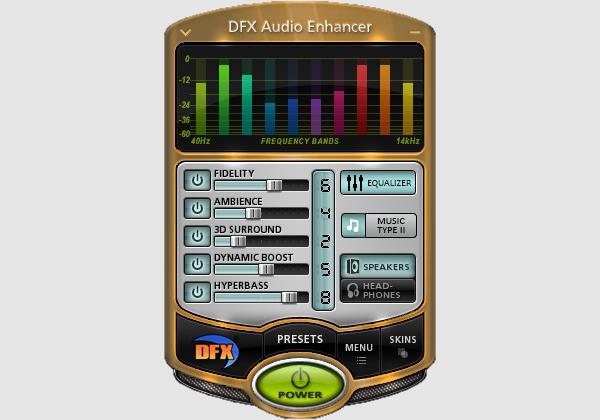
What is it?
Software that performs various sound engineering tricks to boost and clarify your audio.
The Verdict
Over the years I've tried lots of audio enhancer plugins, equalizer software that comes with sound cards, equalizer software that comes with media players, directshow filters etc etc, yet none of them really made any major improvment to my audio quality. Even those that did, were either ridiculously complex to control or would only improve certain types of audio, leaving other types sounding the same or sometimes even worse.
So, when I saw this software I was fairly skeptical given the track record of other audio enhancer software I'd tried. However, to my surprise this software not only works but is freakin incredible. My bass has gone through the roof and is incredibly punchy (for kick drums especially) without sounding muddy. My treble is even clearer, yet it avoids the sibilance problems (ear piercing 'ess' sounds) that other enhancement software tends to introduce.
Overall, everything sounds sooo much more powerful and clearer and I'm only using the onboard Realtek sound chip that comes with my Intel D945GCLF2 motherboard.
Screenshot

Description
Breakaway Audio Enhancer installs itself as another Windows sound device (it becomes the default playback device) that acts as a virtual sound device, sitting between all of your applications and your actual sound card device. When any sound is produced either by windows or any app, it is sent to the virtual Breakaway device. Breakaway then does its thing and sends the enhanced audio to your actual sound card device for output. If this doesn't make sense you'll see what I mean once its installed.
It comes with 16 presets that vary between the amount of bass they enhance, the amount of volume levelling they perform and tons of other things that I don't really understand like Multiband Compression. After fiddling with each of these presets I found the one that sounds best in my car. You then have the option to increase the bass even further (for those with subs) and change the shape of bass to suite your speaker size.
I've been using it for a few weeks now and haven't had any issues whatsoever. It works fine with hibernation and doesn't use too much CPU (around 5%). So, if anyone is having trouble (like I was) in making their carpc sound bassy, punchy or clear then I'd definitely recommend trying this software.
Positives
- Simple installation and easy to use.
- Incredible results with dramatically increased bass and clarity of all good quality audio sources.
- Lots of control over the amount of enhancement it performs.
- Improves audio quality without warping/changing the sound of the audio.
- Cool looking and unobstrusive UI.
- Volume levelling that actually works.
- Costs $29.95US, so not too expensive and definitely worth the dough. You get free upgrades with this as well.
- Available as a fully functional, time limited demo version so you can try before you buy.
- Still being actively developed. See below for posts from konbaasiang (author of Breakaway) about future versions and other amazing audio software he's worked/working on.
- Must have for those with onboard audio, or possibly even proper sound cards to create better than head-unit quality audio.
Negatives
- Costs $29.95US (would be great if they had a freeware version).
- Has its own volume control logic so prevents volume control via the standard windows mixer, so may not work with all frontends that control the volume using the windows mixer API. Either of the following solutions can be used to workaround this issue, but both require frontend code changes:
Solution 1 (best): konbaasiang (author of Breakaway) has posted the official solution that provides direct control of the Breakaway Device's volume via Windows API Messages. See below for details.
Solution 2: Before I was aware of Solution 1, I overcame this in my custom frontend by coding it to control the mixers of the actual sound card device instead of the breakaway sound device. - For really poor quality audio sources, Breakaway tends to amplify the noise making them sound worse. Only seems to happen with really poor quality audio sources though e.g. dodgy DivX/Xvid's. When this happens you can press it's 'Bypass' button to prevent it from doing any enhancements.
- Uses online activation for licensing, so if you want to use it on multiple PC's you need to purchase multiple licenses (altho, they give you a discount which is good). This is fair enough I guess, but... well... you know

Post a Comment